-(1).png)
How to Edit Property Details on Vrbo
- Log in to Vrbo.
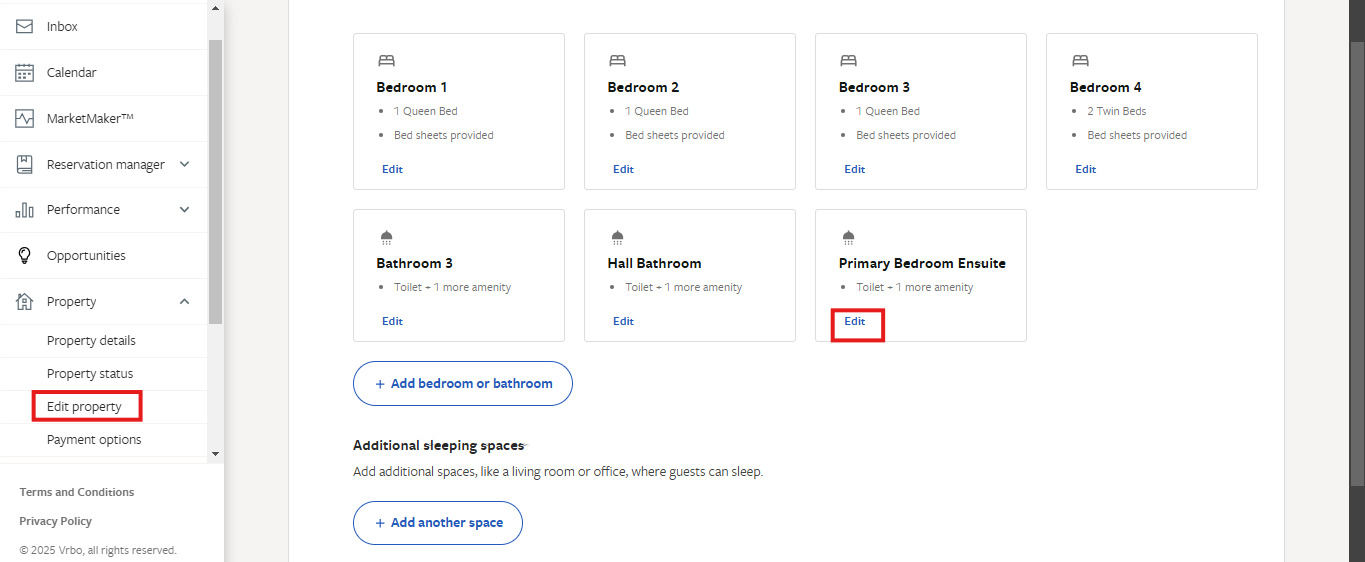
- Click on Edit Property.
- Navigate to Rooms and Spaces.
- Select the specific space in the listing you want to edit.
- Click Edit.
- Make the necessary changes.
- Click Save.
Please note that pdates can take up to 24 hours to reflect on all search pages.
Reference article: https://help.vrbo.com/articles/How-do-I-add-or-edit-a-changeover-date