-(1).png)
Filing a Guesty Damage Protection claim
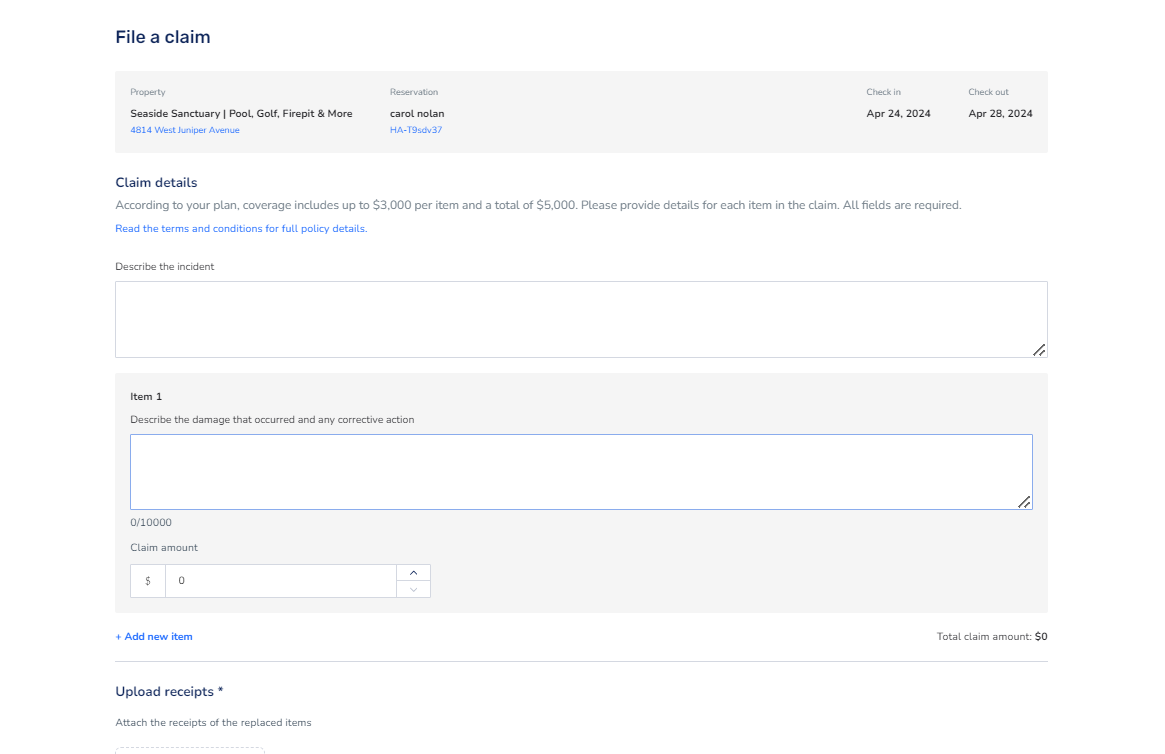
In order to file a Guesty Damage Protection claim, you will need to gather the following:
- A description of the inflicted damage
- The cost of the inflicted damage
- Pictures of the inflicted damage
- Receipts
Please note that a maximum of 50 files can be uploaded per claim.
You'll be needing to gather the necessary documents before filing a claim. Since this may take time, the claim you create in Guesty can be saved as a draft while gathering everything. Please note that claims must be submitted after the guest has checked out and within 30 days of the check-out date. Claims can only be completed through the desktop app, not on mobile.
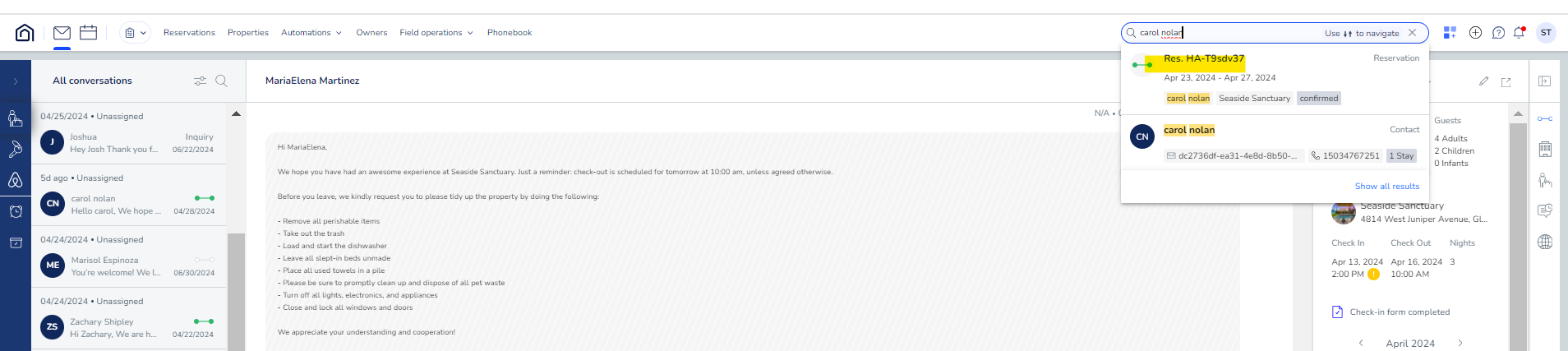
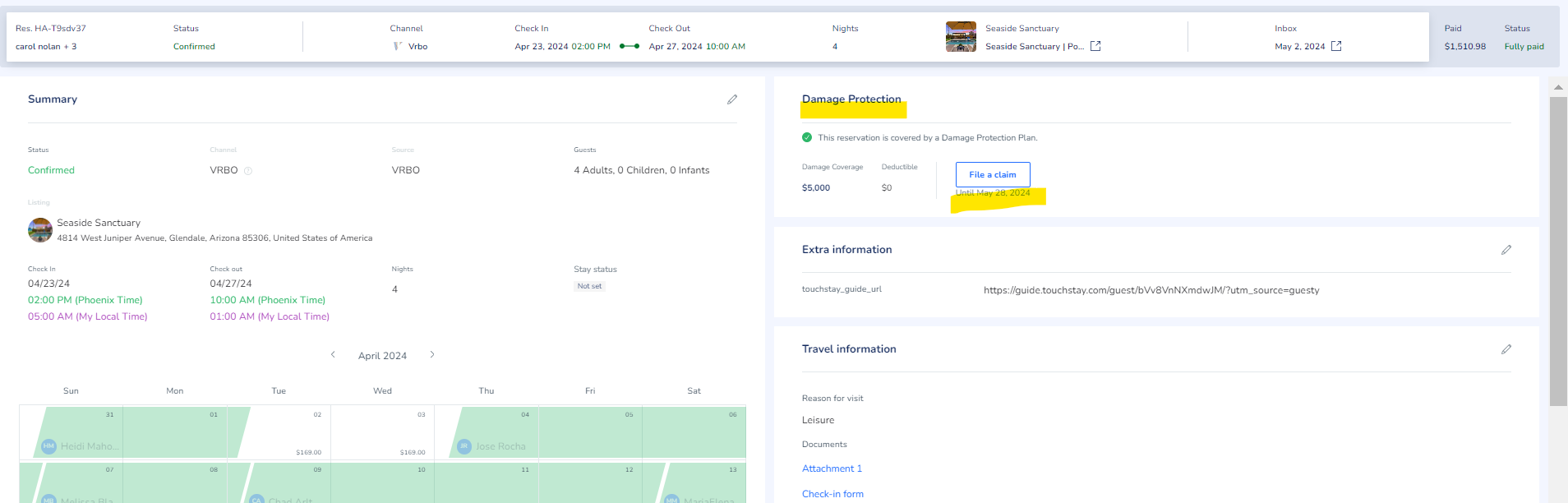
To file a claim, search for the relevant reservation by name or confirmation number. Click the reservation details. Under Damage Protection, Click "File a Claim". Fill in the form: describe the incident and resulting and upload relevant documents, such as an image of the damaged item. If you're ready to file the claim right now, Submit claim at the bottom of the page. Otherwise, click Save draft to continue working on it later.
Reference article: https://help.guesty.com/hc/en-gb/articles/9362185966237-Filing-a-Guesty-Damage-Protection-claim