-(1).png)
Optimizing Amenities in Guesty
Selecting the right amenities in Guesty ensures that your property appears in filtered searches on platforms like Airbnb, VRBO, and Booking.com. Many hosts miss out on thousands of dollars per year simply because they haven't fully optimized their amenity selection. Follow this step-by-step guide to make sure you're maximizing your property's visibility.
Step 1: Access Your Property Settings in Guesty
- Log into your Guesty account.
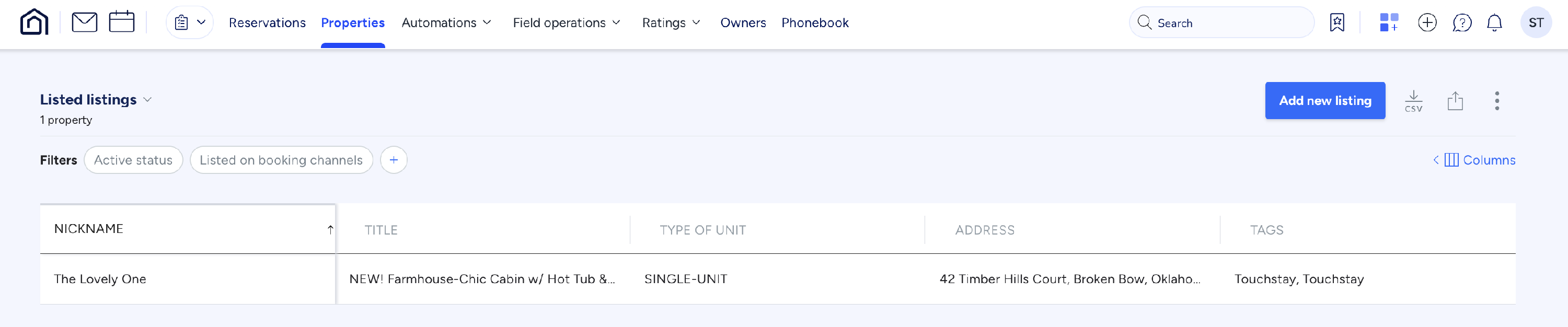
- Navigate to the Properties tab at the top of the homepage.
- Select the specific property you want to update.
Step 2: Edit Your Amenities List
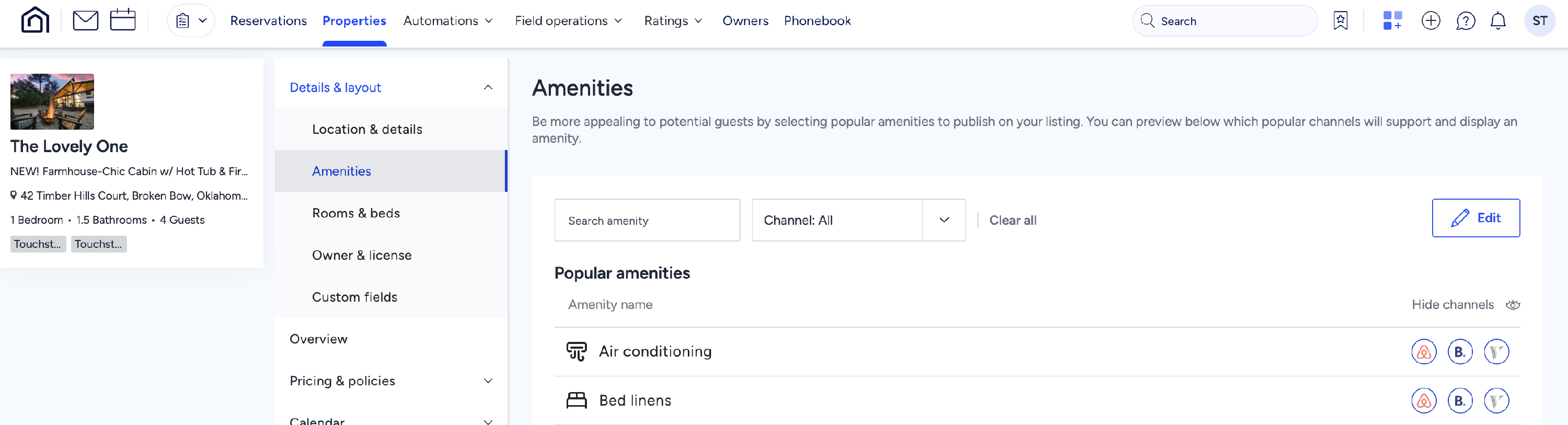
- Within the property settings, go to the Details & Location section.
- Click on Amenities and then select Edit.
- Carefully review all available amenities and checkmark all that apply to your property.
- Be sure to scroll down, as amenities are categorized under multiple dropdown sections.
Step 3: Be Thorough and Strategic
- Select all relevant amenities—it's better to choose more applicable amenities than to miss out on visibility.
- For example, if you have a beachfront property, select both:
- "Beachfront" (describes the home)
- "Beach" (describes nearby access)
- If you only select "Beachfront" and not "Beach," your listing will not appear when a guest filters for "Beach."
By fully optimizing your amenities, you increase the likelihood of your property being discovered by guests using search filters — leading to more bookings and higher revenue.